Restaurant App Development: Features, Cost & Benefits
The restaurant industry in the United States is changing as more customers use smartphones to discover restaurants, browse menus, place food orders, and make re
By oliverlinkspace · 25 Nov 2026 · 9 min read
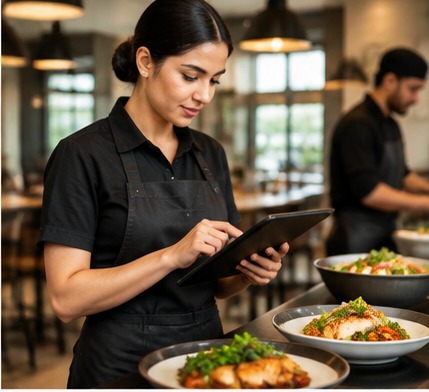
The restaurant industry in the United States is changing as more customers use smartphones to discover restaurants, browse menus, place food orders, and make reservations. Traditional phone-based ordering and walk-in services are still important, but customers increasingly expect convenient digital experiences when interacting with their favorite restaurants.
This shift has created new opportunities for restaurant owners looking to improve customer service and manage daily operations. Restaurant App Development allows businesses to create mobile platforms where customers can explore menus, order meals, make reservations, track deliveries, and receive special offers from one place.
Whether you operate a local restaurant, a fast-food chain, a cloud kitchen, or a growing food startup, investing in a mobile application can help simplify customer interactions and support business growth. However, building a successful restaurant app requires the right features, technology, development strategy, and budget.
In this guide, we will explain the important features, development costs, and steps involved in creating a restaurant mobile application for the US market.
What Is Restaurant App Development?
Restaurant App Development is the process of designing and building a mobile application that helps restaurants connect with customers and manage different business activities digitally.
Depending on the business model, an application can support online food ordering, table reservations, digital menus, payment processing, delivery tracking, customer loyalty programs, and restaurant management.
For example, a customer using a restaurant app can browse available dishes, customize an order, select pickup or delivery, make a secure payment, and receive order updates without calling the restaurant.
Restaurant applications can also provide administrative features for restaurant owners. These may include order management, menu updates, sales reports, customer information, and delivery coordination.
A well-planned solution brings customer-facing and operational features together, making everyday restaurant activities easier to manage.
Why Restaurants in the USA Need a Mobile App
US customers value convenience, speed, and flexible ordering options. A restaurant application can help businesses meet these expectations while creating more direct communication with their customers.
Here are some important reasons restaurants are investing in mobile technology.
1. Make Online Food Ordering Easier
Customers can place orders directly through a restaurant's mobile application instead of calling or depending entirely on third-party food delivery platforms.
A direct ordering system also gives restaurants more control over their menus, pricing, customer communication, and promotional offers.
2. Improve Customer Retention
Loyalty programs, personalized discounts, birthday offers, and reward points can encourage customers to order again.
For example, a restaurant can offer reward points after every purchase and allow customers to redeem them on future orders. This gives customers an additional reason to return.
3. Simplify Restaurant Operations
A restaurant management application can help staff manage incoming orders, update menus, monitor preparation status, and coordinate delivery requests.
Centralized information reduces manual work and helps teams handle daily activities more efficiently.
4. Build Direct Customer Relationships
When customers order directly through a restaurant's application, the business can establish a direct communication channel.
With appropriate consent and privacy practices, restaurants can use customer preferences and order history to send relevant promotions, updates, and special offers.
Essential Features Every Restaurant Mobile App Should Include
The features you choose will influence the application's usability, development time, and overall cost. A successful food ordering app should make the customer journey simple while providing useful management tools for restaurant staff.
1. Digital Menu With Food Categories
A digital menu allows customers to browse available dishes, view prices, check descriptions, and explore food categories.
Restaurants can include high-quality food images, ingredient details, portion information, and dietary labels. Features such as vegetarian, vegan, and gluten-free filters can also improve the browsing experience.
2. Online Food Ordering
Online ordering is one of the most important features of a restaurant application.
Customers should be able to select dishes, customize ingredients, add special instructions, review their cart, and confirm orders easily.
The application should also support different ordering options, such as:
Home delivery
Restaurant pickup
Scheduled orders
Dine-in ordering
Group or bulk orders
3. Secure Payment Integration
A restaurant app should provide convenient payment options for customers across the United States.
Depending on the target audience and payment provider, these may include credit cards, debit cards, digital wallets, and other supported payment methods.
Secure payment processing, transaction confirmations, and refund management are important considerations during development.
4. Real-Time Order Tracking
Customers want to know what happens after placing an order.
Order tracking can display different stages, such as order confirmed, food preparation, ready for pickup, dispatched, and delivered.
For delivery-based businesses, GPS integration can provide delivery location updates where supported.
5. Push Notifications
Push notifications help restaurants communicate important information without requiring customers to reopen the application.
Restaurants can send order confirmations, preparation updates, delivery notifications, special discounts, and loyalty reward reminders.
Notifications should remain relevant and should not overwhelm users with unnecessary promotional messages.
6. Table Reservation System
For dine-in restaurants, a reservation feature can make table booking more convenient.
Customers can select a preferred date, time, and party size. Restaurant staff can manage availability and review upcoming reservations through an administrative dashboard.
7. Customer Loyalty and Rewards
A loyalty program can encourage repeat purchases by rewarding customers for their activity.
Restaurants can offer points, membership benefits, referral rewards, discount coupons, or exclusive promotions.
A simple reward system can help create a more engaging customer experience.
8. Admin Dashboard and Restaurant Management
The restaurant owner or manager needs a centralized dashboard to monitor important activities.
Useful administrative features include:
Menu and pricing management
Order status updates
Customer management
Sales and revenue reports
Promotional campaign management
Staff access controls
Delivery management
For restaurant chains, multi-location management can also be useful because it allows administrators to manage multiple branches from a centralized system.
How Much Does Restaurant App Development Cost in the USA?
The cost of building a restaurant application depends on its features, design requirements, technical complexity, integrations, and development approach.
A basic application with menu browsing and online ordering will generally require less development work than a platform with real-time delivery tracking, loyalty programs, multiple restaurant locations, and advanced analytics.
Here is an illustrative budget breakdown for planning purposes:
| App Type | Estimated Development Cost |
|---|---|
| Basic Restaurant App | $5,000–$12,000 |
| Mid-Level Food Ordering App | $12,000–$25,000 |
| Advanced Restaurant App | $25,000–$50,000+ |
| Multi-Restaurant Platform | $40,000–$100,000+ |
These are indicative planning ranges, not fixed market quotations. Actual costs depend on the project scope, development team, integrations, and required platforms.
Other expenses may include:
UI/UX design
Backend development
Payment gateway fees
Cloud hosting
Third-party API subscriptions
App maintenance and updates
Security improvements
Businesses should also consider ongoing maintenance when preparing their budgets. Operating system updates, bug fixes, security patches, and new features may require additional investment after launch.
Steps to Build a Restaurant Mobile Application
Building a restaurant application involves several stages. Planning each stage properly can reduce development issues and help keep the project aligned with business goals.
Step 1: Identify Your Restaurant's Requirements
Start by understanding what you want the application to achieve.
A local cafe may need digital menus, pickup orders, and loyalty rewards, while a restaurant chain may require multiple locations, delivery coordination, and centralized reporting.
List the essential features before starting development.
Step 2: Research Your Target Customers
Understand how your customers prefer to interact with your restaurant.
Consider their ordering habits, payment preferences, location, and expectations regarding delivery or reservations.
Customer research helps you prioritize features that provide practical value.
Step 3: Choose the Right App Development Approach
Depending on your budget and requirements, you can choose native or cross-platform development.
Native applications are developed separately for platforms such as iOS and Android. Cross-platform development can allow businesses to build applications for both platforms using a shared codebase.
The right option depends on performance requirements, functionality, development resources, and long-term plans.
Businesses can explore mobile app development services to understand the different approaches to building applications for their business needs.
Step 4: Focus on UI/UX Design
A restaurant app should be easy to understand and use.
Customers should be able to find dishes, customize orders, and complete payments without unnecessary steps.
Clear navigation, readable text, attractive food photography, and a simple checkout process can improve the overall experience.
Step 5: Develop and Integrate Essential Features
Once the design is approved, developers can begin building the frontend, backend, database, and required integrations.
This stage may include payment gateway integration, notification services, GPS functionality, restaurant management tools, and third-party delivery connections.
For businesses with specific operational requirements, custom mobile app development can help create an application based on their individual workflows and business goals.
Step 6: Test Before Launch
Testing helps identify issues before customers start using the application.
Important testing areas include:
Login and registration
Menu browsing and cart functionality
Payment processing
Order placement and cancellation
Push notifications
Delivery tracking
Device compatibility
Application performance and security
The application should be tested across supported devices and operating system versions.
Step 7: Launch and Maintain the App
After testing, the application can be prepared for release through the Apple App Store and Google Play Store, subject to their respective review requirements.
However, launching the application is not the end of development.
Regular updates, performance monitoring, security improvements, and customer feedback help maintain a reliable application over time.
Common Mistakes to Avoid When Building a Restaurant App
Restaurant owners should avoid a few common mistakes that can affect the application's usability and long-term value.
Adding too many features initially: Start with the functions customers need most. Additional features can be introduced as the business grows.
Ignoring mobile user experience: Complicated navigation and lengthy checkout processes can discourage customers from completing orders.
Choosing technology without planning: Select a development approach based on business requirements rather than following trends.
Overlooking application security: Customer information and payment transactions should be handled through appropriate security practices and trusted providers.
Ignoring post-launch maintenance: Applications require ongoing technical support to remain compatible, secure, and functional.
Build a Restaurant App That Supports Your Business Goals
A well-designed restaurant application can help businesses simplify online ordering, improve customer engagement, manage reservations, and build stronger customer relationships.
However, successful Restaurant App Development starts with understanding your business requirements rather than simply adding as many features as possible.
Maven Peak Solutions helps businesses across the USA develop mobile applications based on their goals, workflows, and customer expectations. From planning and UI/UX design to development and integration, the right technical approach can help turn a restaurant app idea into a functional digital product.
Whether you are launching a new food business, expanding an existing restaurant, or planning a direct online ordering platform, begin with a clear feature list and realistic budget. Focus on customer convenience, reliable performance, and useful management tools to create an application that supports your restaurant's long-term growth.
Need help with this?
Talk to our team for free guidance on your next step.
Send us your query and we'll get back to you quickly — or chat with us on WhatsApp.